MDX render failed
<img src="images/icon.svg" width="50" alt="@ sign">
# Feature Queries Manager
Manage and toggle CSS on a page behind a @supports Feature Query
## How does it work?
It works by **negating** the feature query condition to give you the opposite result. For example, it will turn the following feature query condition...
```css
@supports (display: flex) { /* styles here */ }
```
... Into the following...
```css
@supports not((display: flex)) { /* styles here */ }
```
## How to use
**1. Install the Feature Queries Manager**
- <img src="https://github.com/alrra/browser-logos/raw/master/src/chrome/chrome_256x256.png" alt="Google Chrome Logo" height="15"> [Download on Google Chrome](https://chrome.google.com/webstore/detail/fbhgnconlfgmienbmpbeeenffagggonp/)
- <img src="https://github.com/alrra/browser-logos/raw/master/src/firefox/firefox_256x256.png" alt="[Firefox Logo" height="15"> [Download on Firefox](https://addons.mozilla.org/en-US/firefox/addon/feature-queries-manager/)
(Other browsers TBA)
**2. Open DevTools and see a new panel labelled "FQM"**

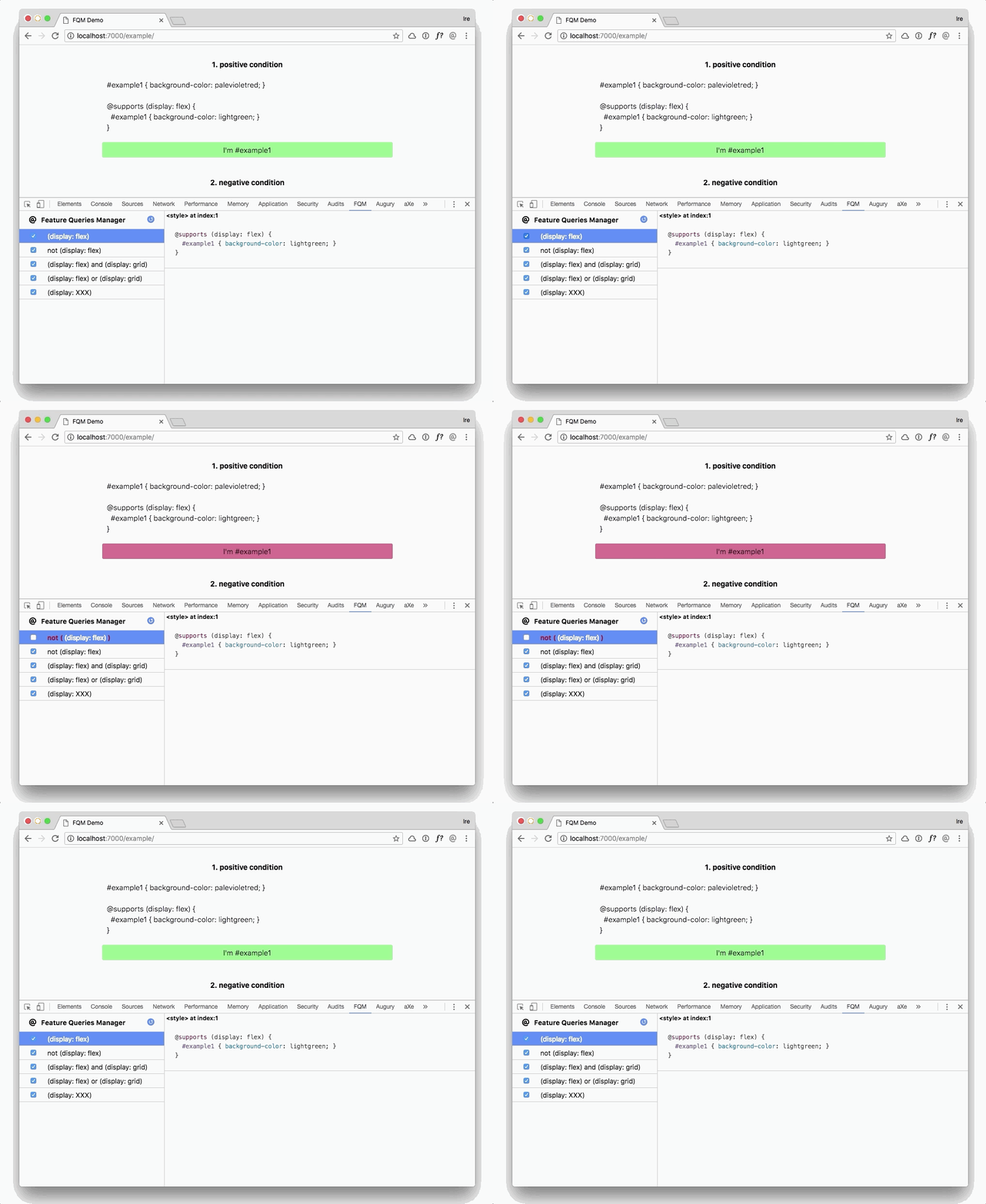
This page will display all the feature queries on the page (on the left) and any styles within those Feature Queries (on the right).
**3. Toggle Feature Queries**
On the left panel, you will see the list of feature query conditions on the page, and a checkbox beside each condition.
- **Uncheck** the checkbox to negate the feature query condition
- **Check** the checkbox to re-instate the original feature query condition